Studio tool · 3D video
3D model to video: a 360° turntable or a cinematic shot in MP4
Pick a camera move: your model spins or reveals itself like in a trailer, in the format your platform wants. The shot plays live in your browser for free. Export the MP4: 30 credits (about 8 s), 50 credits (about 16 s).
- Free preview, no account
- Export: from 30 credits
- Your file stays on your device
Made with the tool
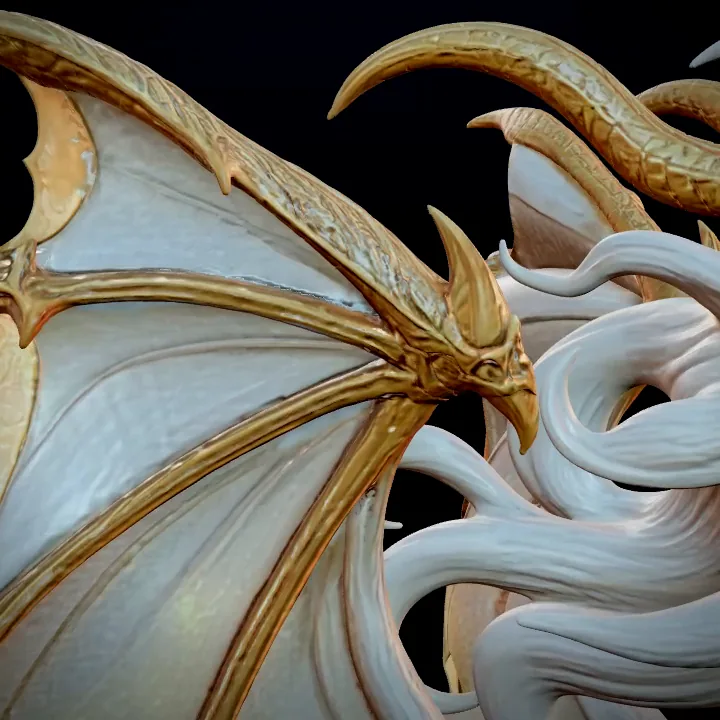
Exported MP4
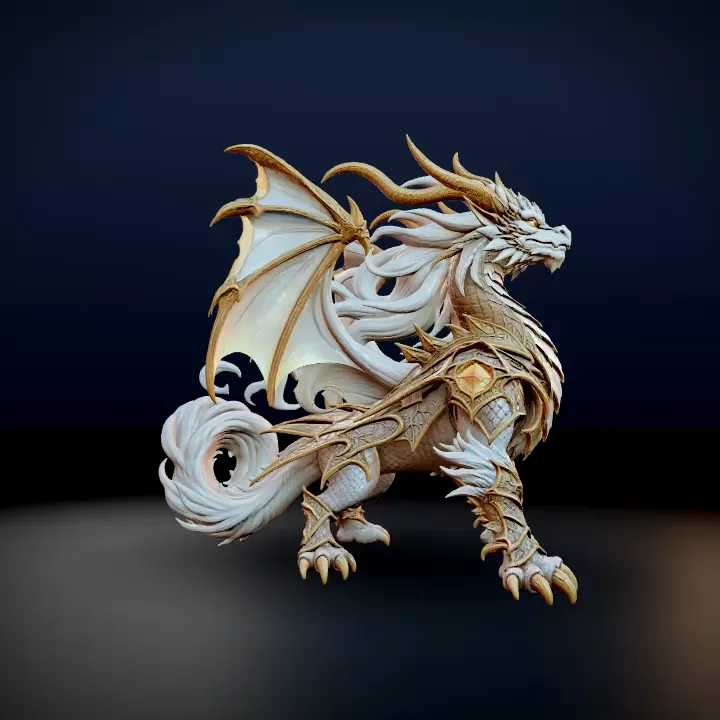
Video frame
A real video from the tool, in 1:1, on a dragon made with Nyzora: nothing is retouched, it's only re-encoded lighter for this page.
How it works
Drop your model
STL, OBJ, GLB, 3MF or a Nyzora creation. A GLB keeps its textures.
Pick a shot
The montage with hard cuts, or a single move: slow orbit, turntable, material reveal, heroic low angle, dramatic top-down, close-up on a detail.
Set format and length
9:16 for Reels, TikTok and Shorts, 1:1 for the feed, 16:9 for YouTube; a short or long video, with an optional title.
Export the MP4
In current browsers, the video is rendered frame by frame, so the motion stays smooth even on a modest device. Older browsers record it in real time, sometimes as WebM, which can drop a few frames.
Why a video beats a still
On social feeds, a turning object stops the scroll better than a still image: people see its volume, its back, its details. In a store, a short clip answers the question every buyer of a 3D print has: what does it look like from the other side?
Building that shot in Blender means an animated camera, lighting and a render that takes minutes. The shots here are modelled on Nyzora's own videos, lighting included: you choose, you watch, you export.
The shots
- Montage, the default shot: close-up, low angle, a turn around the model and a closing shot, with hard cuts.
- Slow 360° orbit: the camera circles the model, the product-page classic.
- Turntable: the model spins in place while the camera holds still.
- Reveal: the model goes from grey clay to full color.
- Heroic low angle: a low tracking shot that makes the subject loom large.
- Dramatic top-down: the camera sweeps down towards the model.
- Detail: a close-up on a face, a weapon, a texture.
Which format for which platform
| Format | Where to post it | Tip |
|---|---|---|
| 9:16 vertical | Instagram Reels, TikTok, YouTube Shorts | Keep the subject centered: the app's buttons cover the bottom of the screen |
| 1:1 square | Instagram and Facebook feeds, product pages | The safest bet when you don't know where it will be watched |
| 16:9 widescreen | YouTube, websites, presentations | Leave room around the model for a title |
Etsy takes one 5 to 15 second video per listing, played without sound: the short version, about 8 seconds long, fits as is.
Who it's for
- Makers posting their prints on TikTok, Reels or Shorts.
- Sellers of figures and printed goods, for their product pages.
- Crowdfunding creators presenting a prototype.
- Nyzora creators who want to show a creation from every side.
Good to know before you export
The video is silent: add music in the platform's app, which offers its own tracks. The file is an MP4 (H.264) that plays everywhere; a browser that can't encode it produces a WebM instead.
The preview plays the shot live, for free. The export renders every frame separately, which takes from a few seconds to a few minutes depending on the model and the device, so keep the tab open while it works.
What's free and what you pay for
- Preview
- Free, no account
- Export
- 30 credits (≈ 8 s) or 50 credits (≈ 16 s)
- Same export again
- Free for 24 hours
Switch shot, format and title as often as you like: the preview replays for free, and only the exported video is paid, by length.
The file is built in your browser before anything is charged: if the build fails, nothing is charged. You get 190 free credits at sign-up, and they also pay for exporting a file you upload. Credits come in packs or with a monthly plan with no commitment, and plan credits work for the tools too.
Nothing to film yet?
With Nyzora, a photo or a sentence becomes a textured 3D model, ready to turn in front of the camera. Your first creation is free at sign-up, with no credit card, ready to spin in 3D in your browser.
Frequently asked questions
- How do I make a 360° video of a 3D object?
- Drop the model, pick the 360° orbit or the turntable shot, the format and the length, then export. Camera, lighting and speed are already set.
- How do I convert a GLB or STL to MP4?
- A 3D file doesn't turn into a video by itself: it has to be filmed. This tool does that in your browser with a camera move, then writes an MP4.
- Can I get a GIF?
- No, the tool writes MP4. At the same quality it's far lighter than a GIF, and social platforms play it wherever they used to take a GIF.
- Do I need Blender?
- No. Blender can do anything, but a turntable there means an animated camera, lighting and a render. Here that work is done: you pick a shot.
- Which format works for TikTok and Reels?
- Vertical 9:16. Keep the title and the subject in the middle third, since the app's buttons cover the edges and the bottom.
- How much does a video cost?
- The live preview on the page is free. The export costs 30 credits for a short video (about 8 seconds) and 50 credits for a long one (about 16 seconds).
It all starts in the Nyzora studio
Create a 3D model from a photo or a sentence in the Nyzora studio, then finish it with these tools. 190 free credits at sign-up, with a quote before every charge.