Studio tool · materials and colors
GLB material editor: gold, bronze, marble or a flat color
A plain grey STL, or a creation you'd love to see in bronze? Drop the model, pick a material for the whole object or just one part, and watch the light play on it in your browser. The preview is free; the dressed GLB and its PNG render cost 25 credits.
- Free preview, no account
- Export: 25 credits
- Your file stays on your device
Before and after
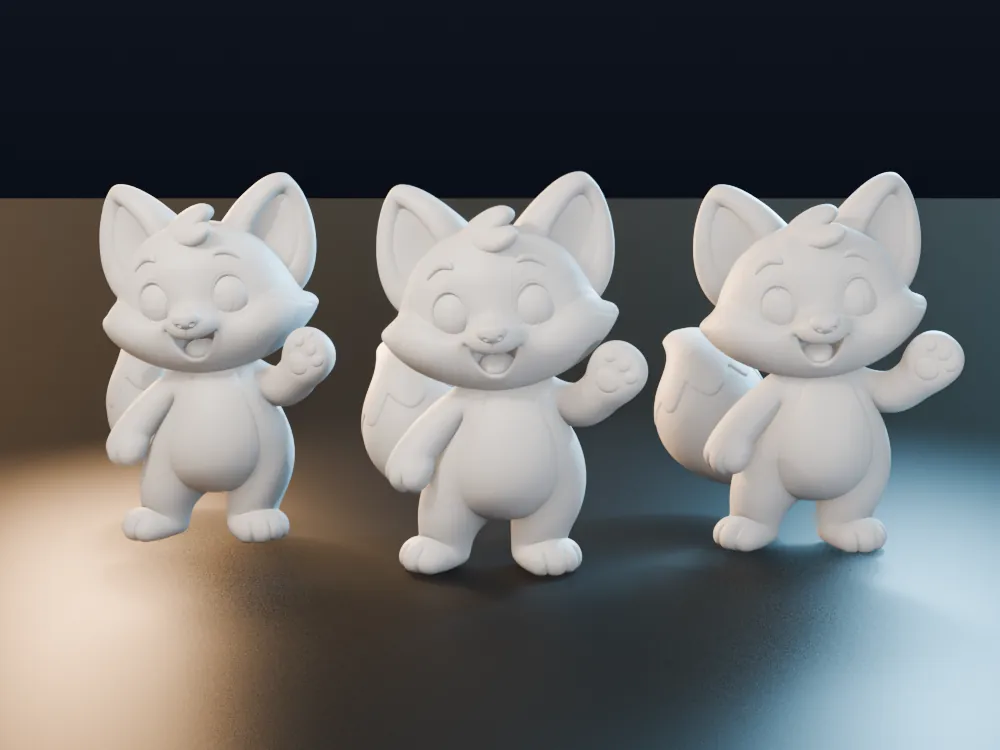
Before
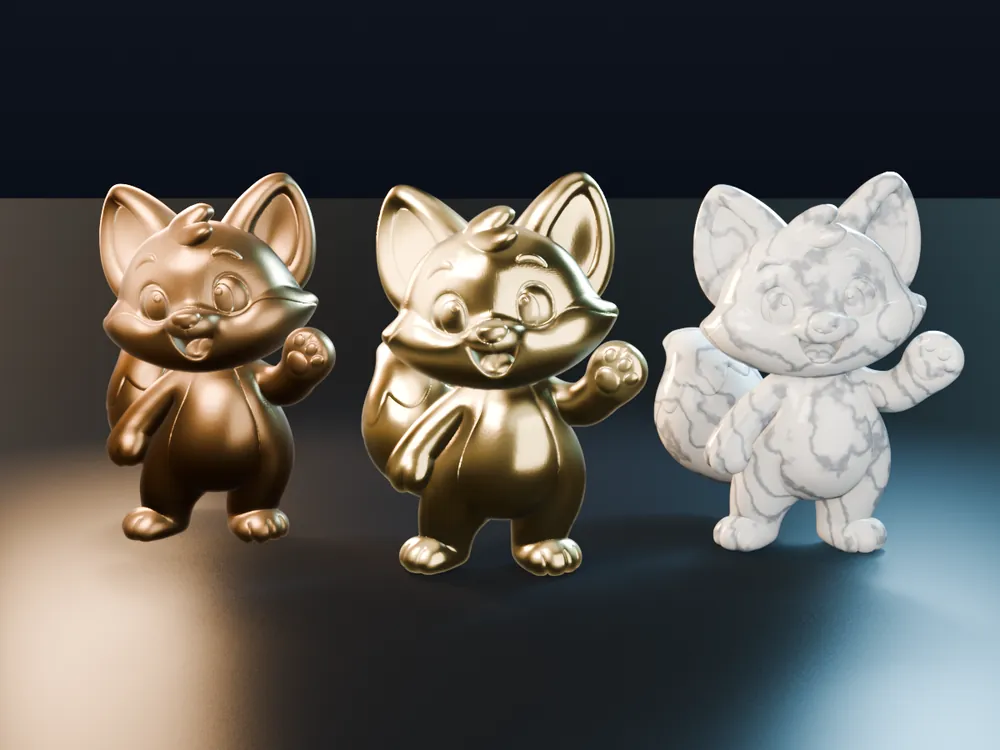
After
Illustration · 3D render
The idea, shown as a 3D render: the same fox in grey, then in bronze, gold and marble. In the tool, the material goes on your own model, under the scene's light.
How it works
Drop the model
STL, OBJ, GLB, 3MF or a Nyzora creation, read by your browser.
Pick a material
Gold, silver, bronze, copper, chrome, marble, translucent resin, ceramic, matte plastic or wood, or a flat color.
Apply it
To the whole model, or to one part by clicking it. On a textured GLB you can also tint the original texture.
Export
A GLB with its materials plus a PNG render, for 25 credits.
See the object in its real material
Before casting a figure in bronze, printing a trophy in gold resin or painting a statuette to look like marble, you want to know how it will look. The materials here are physically based: metal reflects its surroundings, resin lets light through, marble has its veins. The preview shows them under proper studio lighting.
The result is a GLB, the web's 3D format: it shows up in a browser, on a product page, in an augmented-reality viewer or in a game engine, materials and all.
Materials and what they're for
| Material | Look | Good for |
|---|---|---|
| Gold, silver, bronze, copper | Polished metal that catches the light | Trophies, medals, collectible statues |
| Chrome | A near-perfect mirror | Design objects, mechanical parts |
| Marble | Pale veined stone | Busts, sculptures, home decor |
| Translucent resin | A material light passes through | Clear resin figures, lamps |
| Ceramic | Glossy glaze | Vases, mugs, tableware |
| Matte plastic | A soft surface with no shine | Prototypes, toys, PLA prints |
| Wood | Natural grain | Toys, decorative objects, scale models |
One part or the whole model
Models are often made of several pieces: a character and its weapon, a statue and its plinth. Click one to give it its own material, say a marble base under a bronze figure.
On a model without texture coordinates, like most STLs, marble and wood are applied as vertex colors: the veining is softer but still reads. On a textured GLB, they're baked into a texture.
Who it's for
- Makers who want to present a piece in bronze, gold or marble before producing it.
- Sellers offering several finishes of the same model.
- Web and AR developers who need a dressed GLB.
- Miniature painters looking for a color reference.
Good to know
These materials are for display and rendering. A filament or resin printer doesn't read a GLB material: to print in several colors, use the multicolor 3MF converter, which maps colors to your spools.
The exported GLB keeps the original geometry. Its textures are saved as JPEG, up to 4,096 pixels, so the file stays quick to load on a web page.
What's free and what you pay for
- Preview
- Free, no account
- Export
- 25 credits
- Same export again
- Free for 24 hours
Go from gold to marble, from one part to another, as often as you like: the preview is free, and only the GLB and its render are paid.
The file is built in your browser before anything is charged: if the build fails, nothing is charged. You get 190 free credits at sign-up, and they also pay for exporting a file you upload; on a Nyzora creation, exporting a 3D file requires your account's downloads to be unlocked. Credits come in packs or with a monthly plan with no commitment, and plan credits work for the tools too.
Need a model to dress up?
Nyzora's AI creates a 3D model from a photo or a sentence, delivered as STL and GLB. Your first creation is free at sign-up, with no credit card, ready to spin in 3D in your browser.
Frequently asked questions
- How do I change the color of a GLB online?
- Drop the GLB on this page and pick a flat color or a material, for the whole model or one part. You export a new GLB; the original stays untouched.
- Why doesn't an STL have color?
- STL stores shape only. This tool adds a material and saves the result as GLB, a format that carries colors and textures.
- How do I get a gold or marble effect?
- Pick the material from the list: gold is a reflective metal, marble a veined stone. The studio-lit preview shows the final look.
- Does the GLB work on the web and in AR?
- Yes, it's the standard format for web viewers and 3D engines. For augmented reality on iPhone, some viewers need a USDZ conversion.
- Can I print these colors?
- Not directly: a printer doesn't read a GLB material. To print with several filaments, go through the multicolor 3MF converter; for one color, print the STL in the filament of your choice.
It all starts in the Nyzora studio
Create a 3D model from a photo or a sentence in the Nyzora studio, then finish it with these tools. 190 free credits at sign-up, with a quote before every charge.