Studio tool · HD photo render
STL to PNG render: an HD studio photo of your 3D model
A viewer screenshot won't sell a figure. Drop your model: it's lit like in a studio, from the angle you pick, on a white, dark, gradient or transparent background. The watermarked preview is free and runs in your browser; the high-definition PNG costs 15 credits.
- Free preview, no account
- Export: 15 credits
- Your file stays on your device
Made with the tool
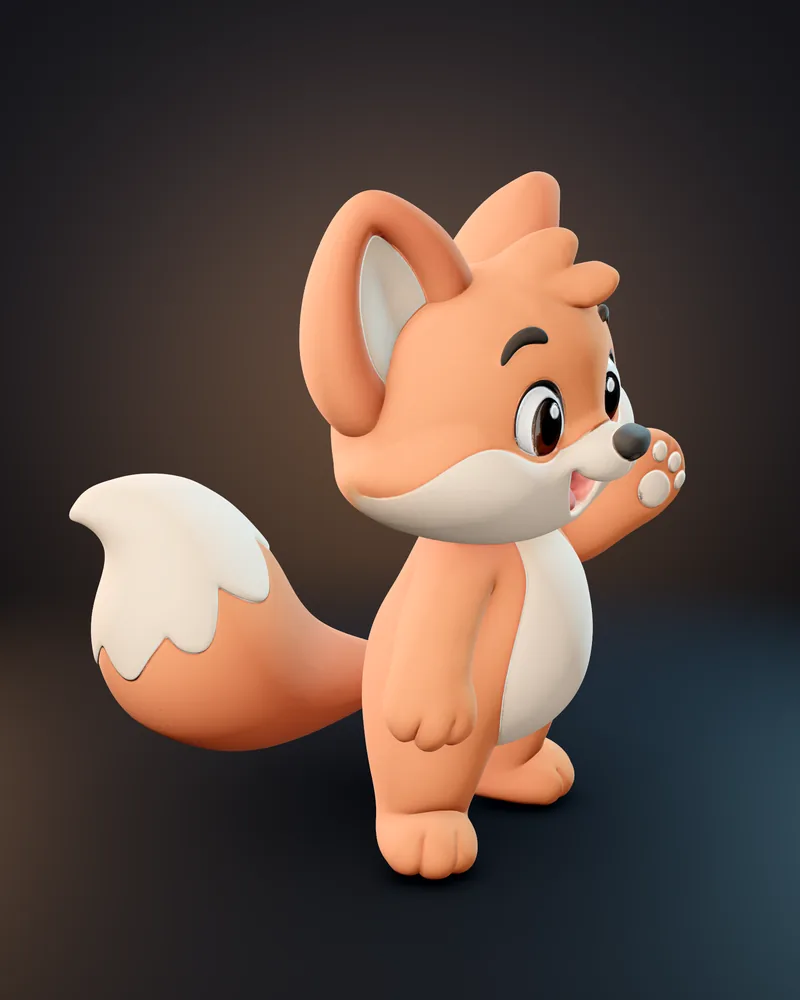
Exported PNG
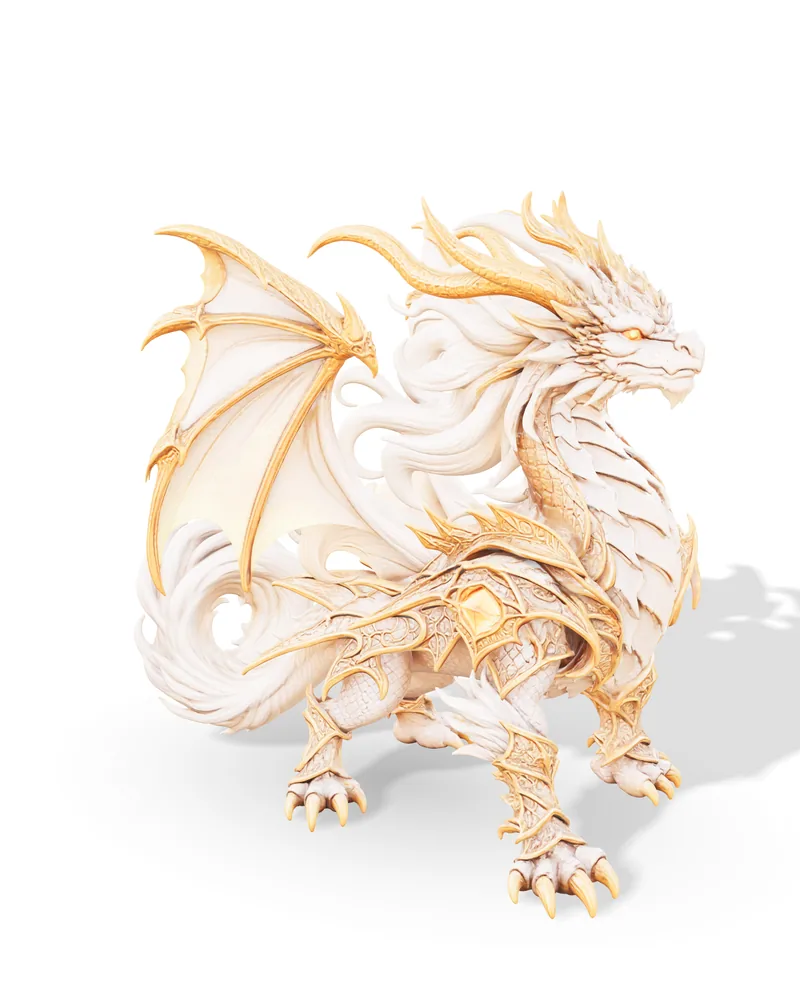
Exported PNG
Two images exported at 2K by the tool, untouched and only scaled down for this page: the light, the background and the shadows are what you get.
How it works
Drop your model
STL, OBJ, GLB, 3MF or a Nyzora creation. A GLB keeps its textures; an STL is rendered in a solid material.
Pick a look
White packshot, night workshop, transparent, color gradient or dark plinth: each preset sets the background, the lights and the shadows.
Frame the shot
Front, three-quarter, profile or high angle, then focal length and accent light. The preview follows every change live.
Export the PNG
2K or 4K, and up to 8K on a computer, with no watermark, for 15 credits.
A real product shot, no studio or Blender needed
Photographing a 3D print takes a light box, a seamless backdrop and patience. Rendering the 3D file itself is quicker: the light is perfect, the model has no dust or layer lines, and you can show the object before you've even printed it.
Rendering software like Blender does this beautifully, after hours of setup. Here the lighting is ready: a warm key light, rim lights that lift the silhouette off the background, ambient occlusion that darkens the crevices, and edges smoothed by accumulating frames. You only choose what matters: the angle and the look.
The five looks
- White packshot: a light background and a soft shadow, the online-store standard.
- Night workshop: a dark background and warm light, the Nyzora look.
- Transparent: the model alone, no background, ready to drop onto your own artwork.
- Color gradient: a colored gradient background for social posts.
- Dark plinth: the model on a black stand, like in a display case.
Which image size for which use
| Preview | 2K | 4K | 8K | |
|---|---|---|---|---|
| Price | Free | 15 credits | 15 credits | 15 credits |
| Long side | 1,024 px | ≈ 2,000 px | ≈ 4,000 px | ≈ 8,000 px |
| Watermark | Yes | No | No | No |
| Device | Any | Any | Any | Computer |
| Best for | Checking the framing | Listings, social posts | Store pages, zoom | Posters, paper prints |
Who it's for
- Sellers on Etsy, eBay or Cults3D who want consistent photos across their shop.
- Designers publishing models on Printables or MakerWorld.
- 3D artists building a portfolio.
- Anyone who wants to show an object before printing it.
What the tool doesn't do
The render shows the file, not the printed object: no layer lines, no defects. In a listing, say so, or add a real photo of the print. An STL has no color, so it's rendered in a solid material that the materials tool can change.
The output is a PNG: lossless, with transparency. If a store asks for JPG, convert the image in any photo editor.
Just need a quick capture? The free 3D viewer already saves the view as a PNG, with no account and no credits, but without studio lighting or a designed background. This tool is for when the picture has to sell the object.
What's free and what you pay for
- Preview
- Free, no account
- Export
- 15 credits
- Same export again
- Free for 24 hours
The watermarked 1,024-pixel preview can be tweaked as often as you like; you only pay for the final image, at full resolution and with no watermark.
The file is built in your browser before anything is charged: if the build fails, nothing is charged. You get 190 free credits at sign-up, and they also pay for exporting a file you upload. Credits come in packs or with a monthly plan with no commitment, and plan credits work for the tools too.
Does your object only exist as a photo?
Nyzora rebuilds it in 3D from a single picture; you can then render it here from any angle. Your first creation is free at sign-up, with no credit card, ready to spin in 3D in your browser.
Frequently asked questions
- How do I convert an STL to PNG?
- Drop the STL on this page, pick a look and an angle, then export. The render is computed in your browser: the image is a proper studio shot, not a screen grab.
- Can I render an STL without Blender?
- Yes, that's what this tool is for: lighting, shadows and framing are set up for you. Blender gives you more freedom, but you have to learn its lighting and material settings.
- What image size does Etsy need?
- Etsy recommends images at least 2,000 pixels on the shortest side so shoppers can zoom. The 4K export covers that easily; 2K is plenty for social posts.
- Can I get a transparent background?
- Yes: the Transparent look exports a PNG with an alpha channel, ready to place on any background.
- Why is my STL rendered without color?
- STL stores shape only. The render gives it a solid material; for colors, start from a textured GLB or apply a material with the dedicated tool.
- Are a GLB's textures kept?
- Yes, a GLB's color texture is rendered as is, with its materials. That's the case for Nyzora's color creations.
It all starts in the Nyzora studio
Create a 3D model from a photo or a sentence in the Nyzora studio, then finish it with these tools. 190 free credits at sign-up, with a quote before every charge.