Studio tool · multicolor 3MF
Multicolor 3MF converter: your model's colors, ready for the AMS
An STL carries no color at all. Drop a textured GLB instead: the tool reduces its colors to 2 to 8 filaments, paints each area of the mesh and writes a 3MF for Bambu Studio or OrcaSlicer. The preview is free and runs in your browser; the export costs 60 credits.
- Free preview, no account
- Export: 60 credits
- Your file stays on your device
Before and after
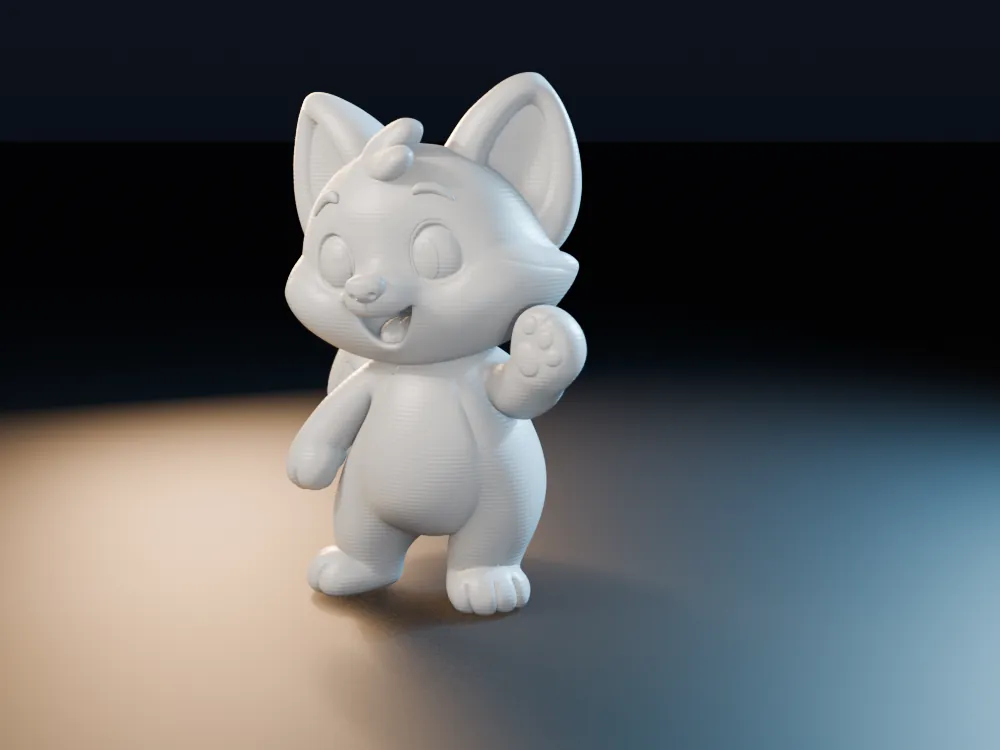
Before
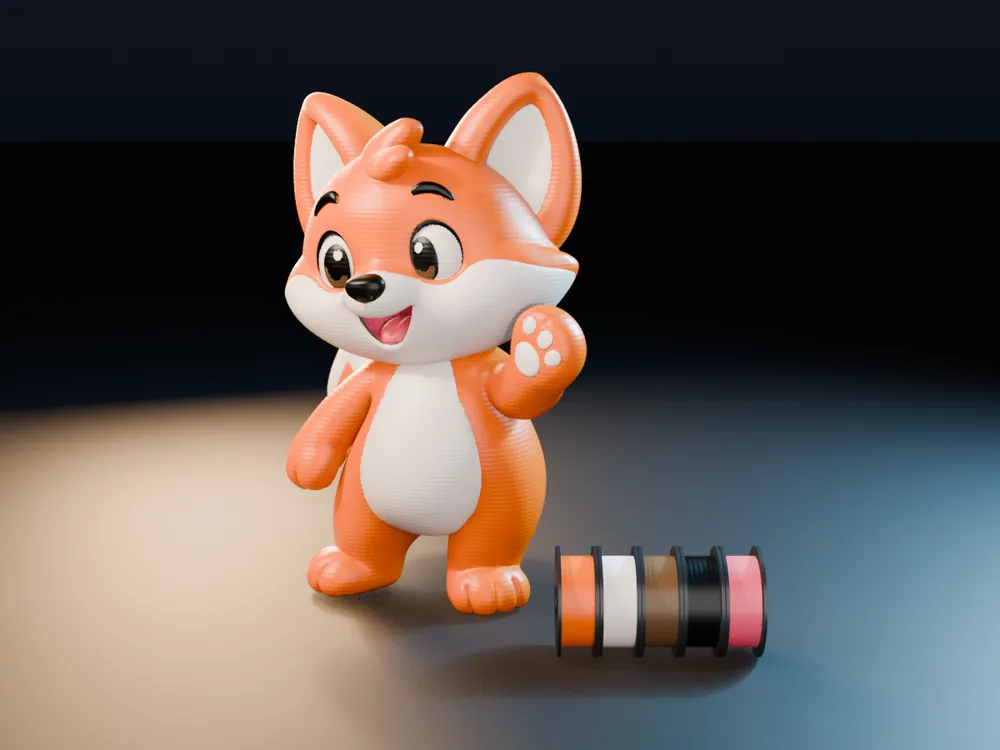
After
Illustration · 3D render
The idea, shown as a 3D render: left, what an STL hands to the slicer, the shape with no color; right, the texture's colors reduced to a few filaments. In the tool, the preview repaints your own model with every setting.
How it works
Drop your model
A GLB or glTF with its texture, a color Nyzora creation, or the sample dragon. A plain STL opens too: you then give it one color per part, or a color per height band.
Pick the number of filaments
2 to 8 colors sampled from the texture, or your own spool palette. The preview repaints the model on every change.
Adjust the palette
Merge two shades that are too close, swap a color for the spool you own, and check the result from every angle.
Export the 3MF
A painted file with a legend of AMS slots 1 to N, for 60 credits.
Why an STL can't print in color
STL describes triangles and nothing else: no color, no units. A 3D model's colors live in a texture, an image wrapped around the surface. A GLB carries that texture, but a printer can't read an image. Something has to say, triangle by triangle, which filament goes where.
That's what the paint tool in a slicer like Bambu Studio is for: you color the model with a brush, area by area. On a 500,000-triangle figure with blended colors, that's hours of work. This tool does the painting from the texture, then lets you correct it.
How the tool picks colors
- It samples the texture at the center and corners of each triangle, in a color space close to human vision (CIELAB).
- Hue beats brightness: a shadow baked into the texture doesn't turn into a black filament.
- Colors are grouped into 2 to 8 clusters (k-means), or snapped to your filament palette, such as Bambu Lab PLA Basic.
- A majority filter and the merging of tiny islands prevent confetti, which would multiply filament swaps.
- Optional subdivision of large triangles gives sharper color borders, at the cost of a heavier file.
A plain STL: by part or by height
An STL has no texture, so the tool can't guess where each color goes, and it says so. It then offers two ways to turn an STL into a multicolor 3MF.
By part, when the model is made of separate pieces: click a part in the preview and pick its spool, say one color for the base and another for the character. By height: the color changes at the heights you set, in bands, which suits vases, buildings and layered prints. A model in one piece goes by height.
STL, plain 3MF or painted 3MF: what the slicer gets
| STL | Plain 3MF | Painted 3MF (this tool) | |
|---|---|---|---|
| Colors | None | One per object at best | One filament per triangle |
| Units | Not stored | Millimetres | Millimetres |
| Several objects | No | Yes | Yes |
| Painting in the slicer | All by hand | All by hand | Done, still editable |
| With an AMS | One color | One color per object | 2 to 8 colors on a single part |
Who it's for
- Bambu Lab owners with an AMS or AMS Lite: 4 spools, or 8 with two units.
- OrcaSlicer and PrusaSlicer users printing with several filaments.
- Nyzora creators whose model has color textures.
- Sellers of multicolor prints who want a ready file instead of hours with the paint brush.
Before you print
Every extra color means more filament swaps, so more purge and more time. Four well-chosen colors often beat eight: the eye reads large flat areas, not subtle shades.
Results depend on the texture. A model with bold colors converts very well; a photographic texture with soft gradients gives rougher borders. The preview shows what will print before you export anything.
The 3MF is written with the paint attributes that Bambu Studio and OrcaSlicer read, plus PrusaSlicer's equivalent. Open it, check the filament assignment, then slice. Without an AMS or a tool changer, a painted 3MF can't print in one go.
What's free and what you pay for
- Preview
- Free, no account
- Export
- 60 credits
- Same export again
- Free for 24 hours
Change the color count, merge, swap a shade: every attempt is free, and only the final 3MF is paid.
The file is built in your browser before anything is charged: if the build fails, nothing is charged. You get 190 free credits at sign-up, and they also pay for exporting a file you upload; on a Nyzora creation, exporting a 3D file requires your account's downloads to be unlocked. Credits come in packs or with a monthly plan with no commitment, and plan credits work for the tools too.
No color model yet?
Nyzora's AI makes a textured 3D model from a photo or a sentence, and its color GLB goes straight into this tool. Your first creation is free at sign-up, with no credit card, ready to spin in 3D in your browser.
Frequently asked questions
- Can an STL file have color?
- No. STL stores shape only, with no color and no units. To print in several colors you need a format that ties a filament to each area, such as 3MF, or a textured model (GLB) to convert.
- How do I print multicolor with an AMS or AMS Lite?
- Open the painted 3MF in Bambu Studio, match each color in the legend to an AMS slot and slice. The slicer handles the filament changes and the purge tower.
- STL vs 3MF: what's the difference?
- 3MF is a package: geometry in millimetres, several objects, and colors and settings when needed. STL is a list of triangles. Both work for single-color prints; for an AMS, 3MF is the one you want.
- Can Bambu Studio open a GLB with its colors?
- It imports the geometry, not a print-ready texture, so the colors still have to be painted by hand. Converting the GLB to a painted 3MF first saves you that step.
- How many colors should I pick?
- No more than the spools you have: 4 with one AMS, 8 with two. Below that, trust the preview: if two shades look alike, merge them and save print time and filament.
- My model has no texture, like an STL. What happens?
- The tool tells you it can't guess the colors, then offers two ways to set them. By part: when the model is made of separate parts, click one and pick its spool. By height: the color changes at the heights you set, like layers of strata. For fine color detail, start from a textured GLB instead.
It all starts in the Nyzora studio
Create a 3D model from a photo or a sentence in the Nyzora studio, then finish it with these tools. 190 free credits at sign-up, with a quote before every charge.