Studio tool · miniature base
Miniature base generator: add a round, hex or 25/32 mm base to your STL
Drop your figure in: the tool stands it on a base of the size you pick, engraves a name along the front edge of the top and can add a magnet pocket. You see the result in 3D right away, free, in your browser; the STL export costs 20 credits.
- Free preview, no account
- Export: 20 credits
- Your file stays on your device
Made with the tool
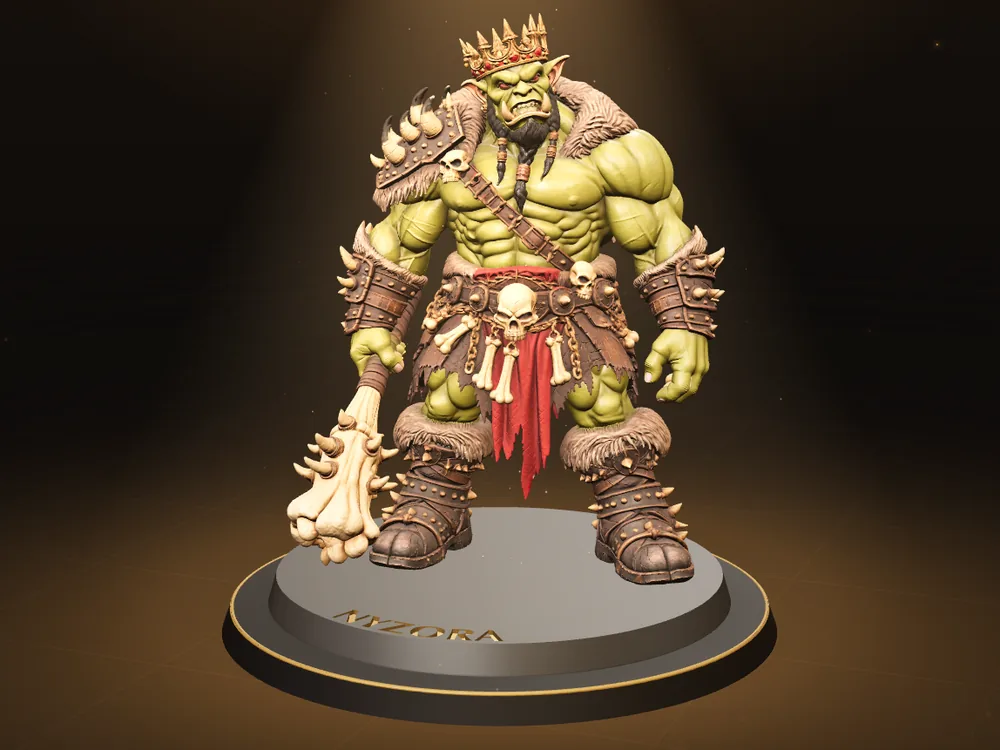
Tool capture
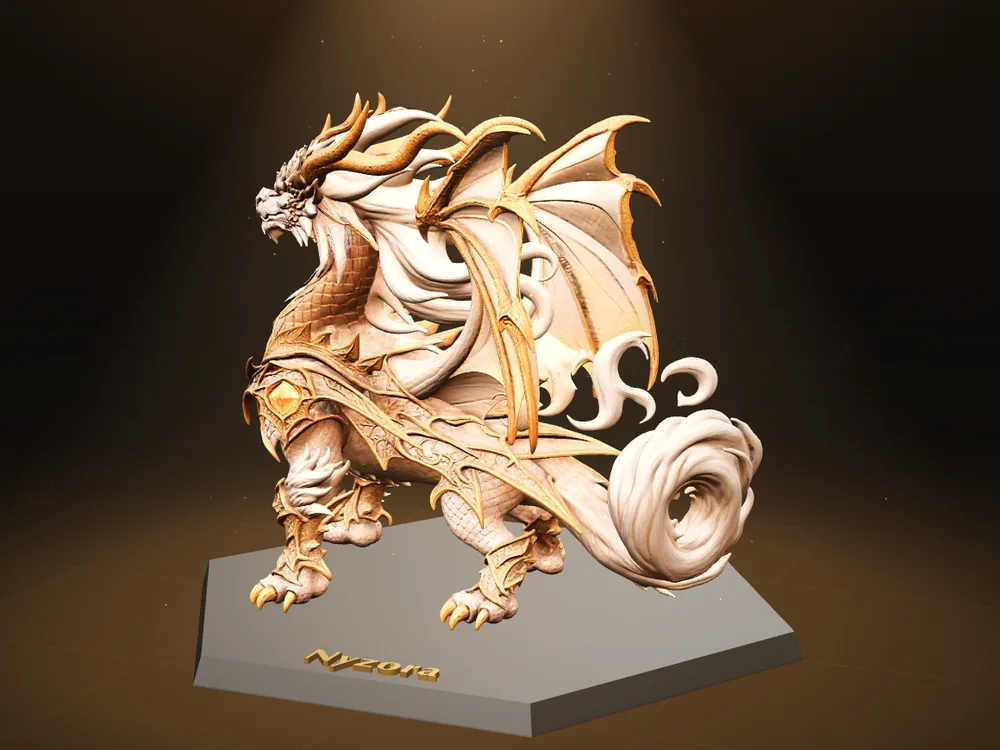
Tool capture
Two untouched captures of the tool's preview. The name sits on top of the base: in an arc along the edge on a round or oval base, in a straight line along the front flat on a hex or square one. Neither the orc's nor the dragon's mesh is watertight: each will come as a two-part 3MF, the figure standing on its base.
How it works
Drop the figure
STL, OBJ, GLB or 3MF. The tool stands it up and sinks it slightly into the base so the two parts fuse.
Pick a shape and size
Round, hex, square or oval; 25, 28, 32, 40 or 50 mm, or any size. Then set the height and the bevel.
Add a name or a magnet
Engraved or raised text, accents included, and a 5 × 2, 6 × 3 or 8 × 3 mm magnet pocket underneath.
Export
A slicer-ready STL for 20 credits, or a two-part 3MF when the parts can't be merged.
Why a base matters
A figure printed without a base rarely stands well, especially one generated in a dynamic pose. The base gives it a footprint, protects fragile feet and, on a tabletop, shows the space it takes up.
AI-generated models often come with no base, or a lumpy one. Adding a clean base at a game's standard size turns a raw file into a collectible or a playable miniature.
Common base sizes
| Diameter | Typical use |
|---|---|
| 25 mm | Infantry in older Warhammer ranges, a Medium creature in Dungeons & Dragons (1 inch) |
| 28 mm | An in-between size for figures a little wider than infantry |
| 32 mm | Infantry in many recent Warhammer 40,000 ranges |
| 40 mm | Characters, Terminators, small monsters |
| 50 mm | Large characters and monsters, a Large creature in Dungeons & Dragons (2 inches) |
Sizes change from one edition to the next, so your rulebook or the publisher's base guide has the final word. The custom size covers everything else, from scale models to display pieces.
Base settings
- Shape: round, hex, square or oval. Oval suits mounts and long creatures.
- Height and bevel: a bevelled edge is nicer to pick up and prints without supports.
- Name: engraved or raised, accents included, in bold letters that stay readable once printed.
- Magnet: a 5 × 2, 6 × 3 or 8 × 3 mm pocket underneath, for magnetic storage boxes.
- Scale: set the figure's target height and the tool resizes it before placing it.
- Seating: the figure sinks 0.4 mm into the base for a solid joint.
Who it's for
- Tabletop and roleplaying gamers who want bases at the right size.
- Collectors displaying a piece with its name.
- Gift makers: a name on the base makes the present.
- Creators of AI-generated models that arrive without a base.
One part or two: what you get
When the figure is a closed mesh, the tool merges figure and base into a single solid: an STL that prints in one go. When the mesh has holes or flipped faces, a merge would fail, so the tool gives you a two-part 3MF instead, figure and base already stacked. You'll know before you pay.
Printing the base separately has upsides too: another color, no supports, a clean glue joint. For Nyzora creations, the print-preparation step in the studio gives you a closed mesh.
What's free and what you pay for
- Preview
- Free, no account
- Export
- 20 credits
- Same export again
- Free for 24 hours
Try several shapes, sizes and names: the 3D preview is free, and you only pay for the base you keep.
The file is built in your browser before anything is charged: if the build fails, nothing is charged. You get 190 free credits at sign-up, and they also pay for exporting a file you upload; on a Nyzora creation, exporting a 3D file requires your account's downloads to be unlocked. Credits come in packs or with a monthly plan with no commitment, and plan credits work for the tools too.
Want to create the figure itself?
From a photo, Nyzora's AI rebuilds your subject in 3D: a pet, a character, a full-length portrait, ready for its base. Your first creation is free at sign-up, with no credit card, ready to spin in 3D in your browser.
Frequently asked questions
- Which base size should I use: 25, 28, 32 or 40 mm?
- Your game's: 32 mm for a lot of recent infantry, 25 mm for older ranges and Medium creatures in roleplaying games, 40 mm and up for characters and monsters. For a display piece, go a little wider than the figure's feet.
- How do I add a base to an STL?
- Drop the STL here and pick a shape, a size and a height: the tool centers the figure, sinks it slightly and merges everything. You export an STL ready for your slicer.
- How do I put a name on a base?
- Type the text in the name field and choose engraved or raised. On a 25 mm base, keep the name short so the letters stay big enough to print crisply.
- Can I add a magnet pocket?
- Yes: 5 × 2, 6 × 3 or 8 × 3 mm, under the base. The pocket is sized for the magnet you pick; test it on a first base, as every printer prints holes a little differently.
- Round, square or hex?
- Round is the standard for most current miniature games. Square suits grid-based games and older rank-and-file armies; hex suits hex-map games and display pieces.
- Should the base print with the figure or on its own?
- Together is simpler and stronger. Apart lets you use another color and skip supports. The tool merges when it can and otherwise hands you both parts.
It all starts in the Nyzora studio
Create a 3D model from a photo or a sentence in the Nyzora studio, then finish it with these tools. 190 free credits at sign-up, with a quote before every charge.